

Connection Stability and Photon Network
- The networking solution uses the Photon engine, which requires a persistent internet connection.
- Gameplay data is synced locally over your network — all devices must be on the same router.
- When you start a session, a connection is established with a Photon server.
- The app will try to automatically connect to the best region (default: Auto).
- However, in some cases (e.g., when using VPNs), Auto may not select the optimal region — which is why you can manually set a fixed region.
Setting Photon fixed region
Section titled “Setting Photon fixed region”-
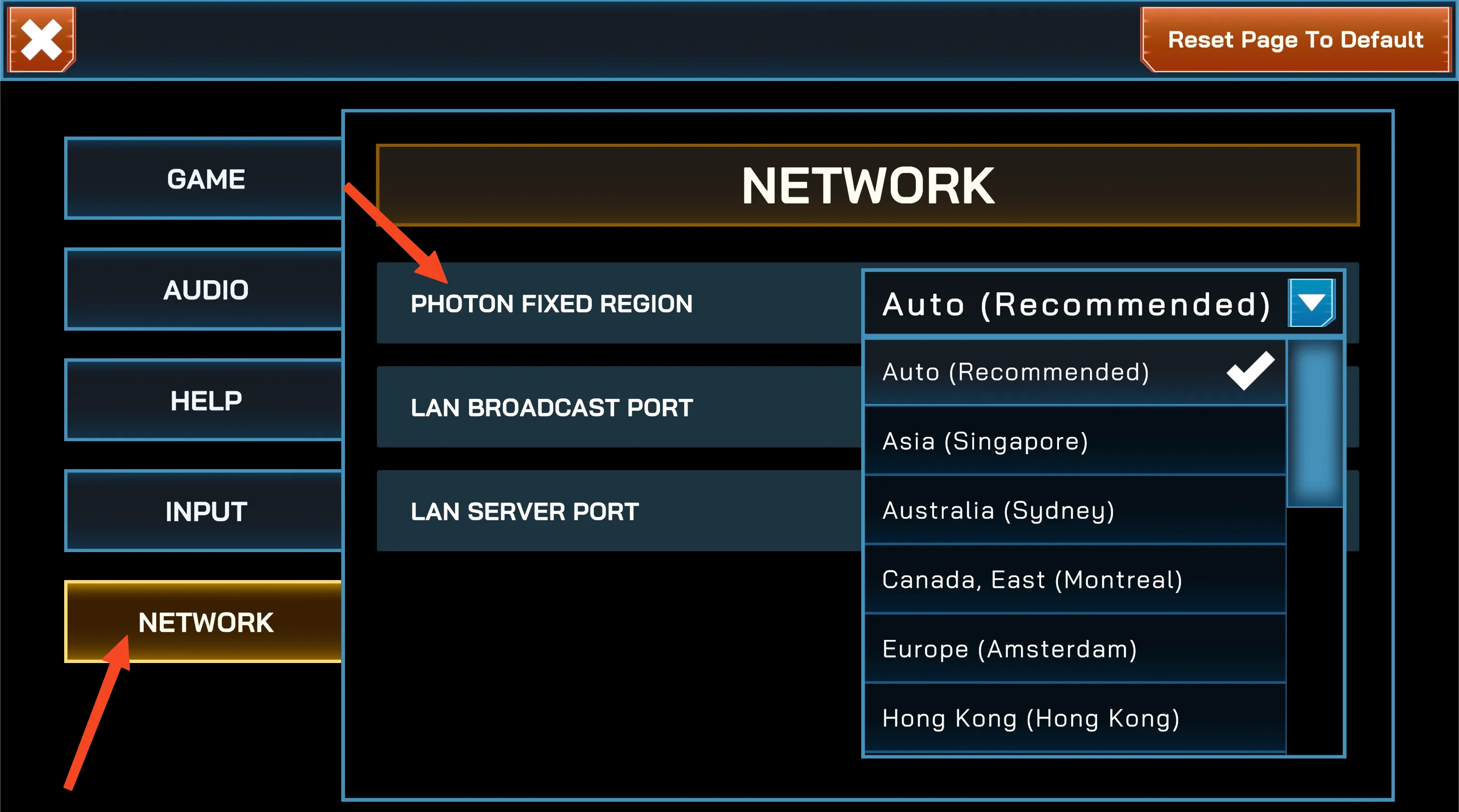
Open App Settings from the Main Menu (cannot be changed while a session is running).
-
Go to the
Networktab. -
Set Photon Fixed Region to the closest location to your venue.
Preview current region setting
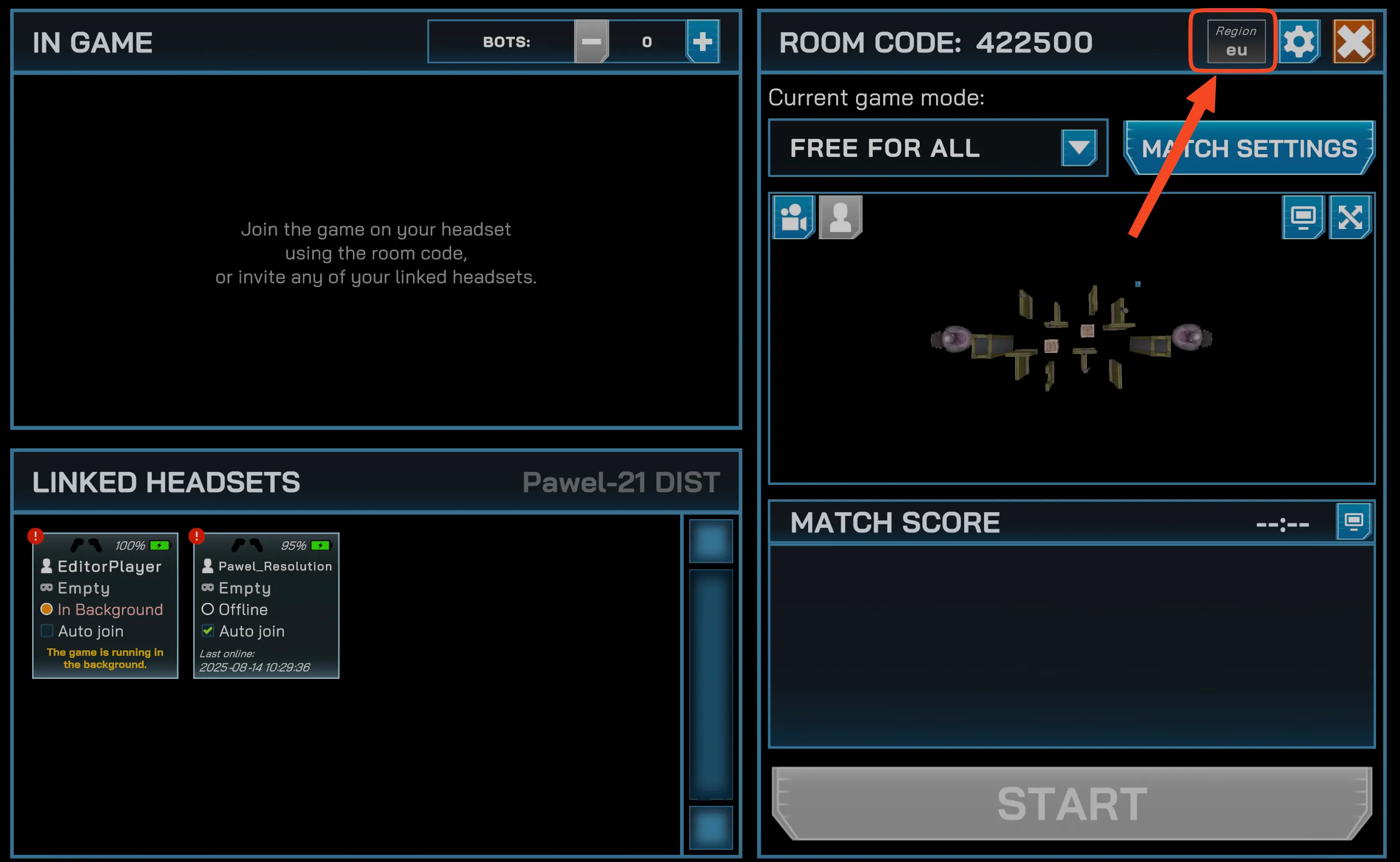
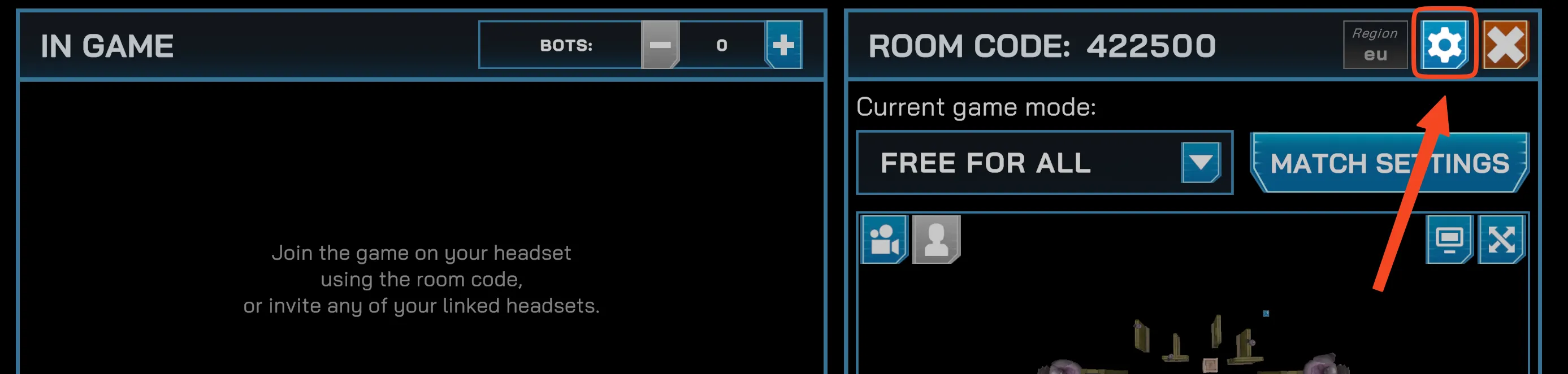
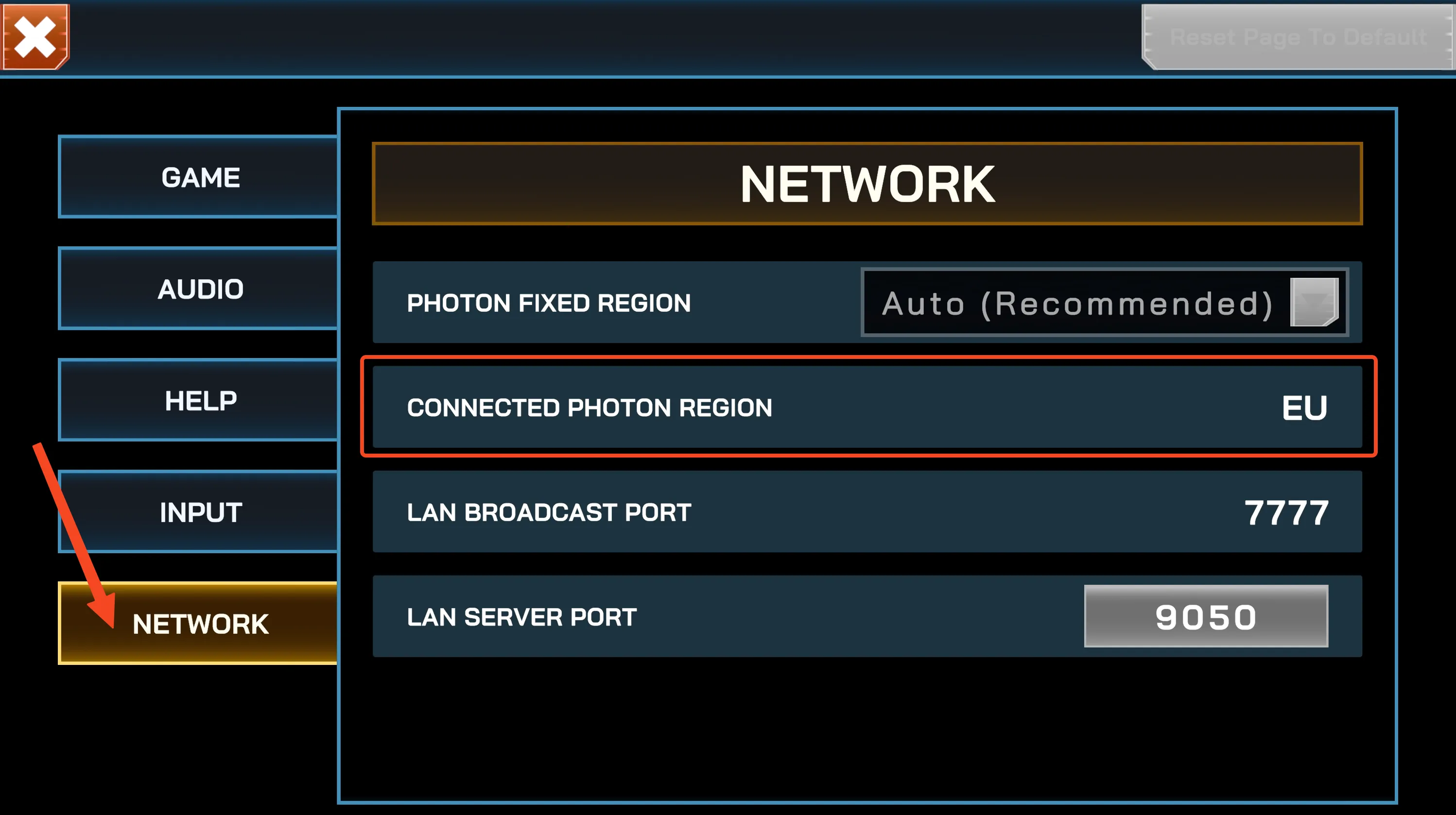
Section titled “Preview current region setting”You can check which region you are connected to while the session is running:
-
From Session View
-
From App Settings (in-session)
Available regions
Section titled “Available regions”| Region | Hosted in | Code |
|---|---|---|
| Asia | Singapore | asia |
| Australia | Sydney | au |
| Canada, East | Montreal | cae |
| Europe | Amsterdam | eu |
| Hong Kong | Hong Kong | hk |
| India | Chennai | in |
| Japan | Tokyo | jp |
| South America | Sao Paulo | sa |
| South Korea | Seoul | kr |
| Turkey | Istanbul | tr |
| United Arab Emirates | Dubai | uae |
| USA, East | Washington D.C. | us |
| USA, West | San Jose | usw |
| USA, South Central | Dallas | ussc |