Network Setup Recommendations
Router Requirements
Section titled “Router Requirements”- Internet speed: Anything above 10 MB/s is sufficient.
- Stability matters more than speed. If Photon or required services are unreachable for 3-5 seconds, you will be disconnected.
- Wi-Fi standards:
- 5 GHz is a must-have
- 6 GHz (Wi-Fi 6E) is even better — ensure all headsets connect to the 6 GHz band.
- The Manager app PC should remain on Ethernet.
- Hardware:
- Choose well-known brands and higher-end models.
- Before buying, check online reviews or ask AI if the router has known issues with Meta Quest 3/3s.
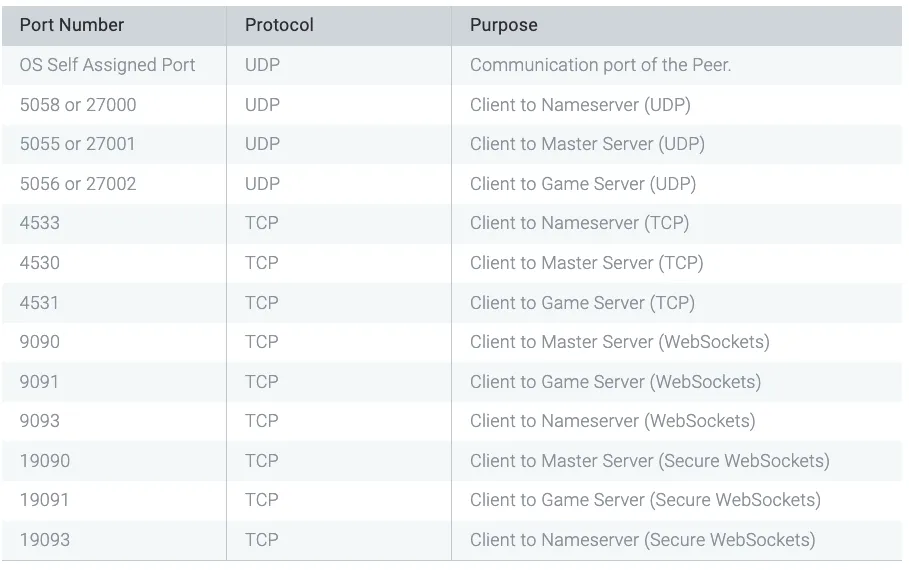
- Ports to open:
-
Gameplay & Services — see diagram below.
-
Manager app Communication — default port is
7777(configurable in Manager app settings).
-
Simple setup
Section titled “Simple setup”-
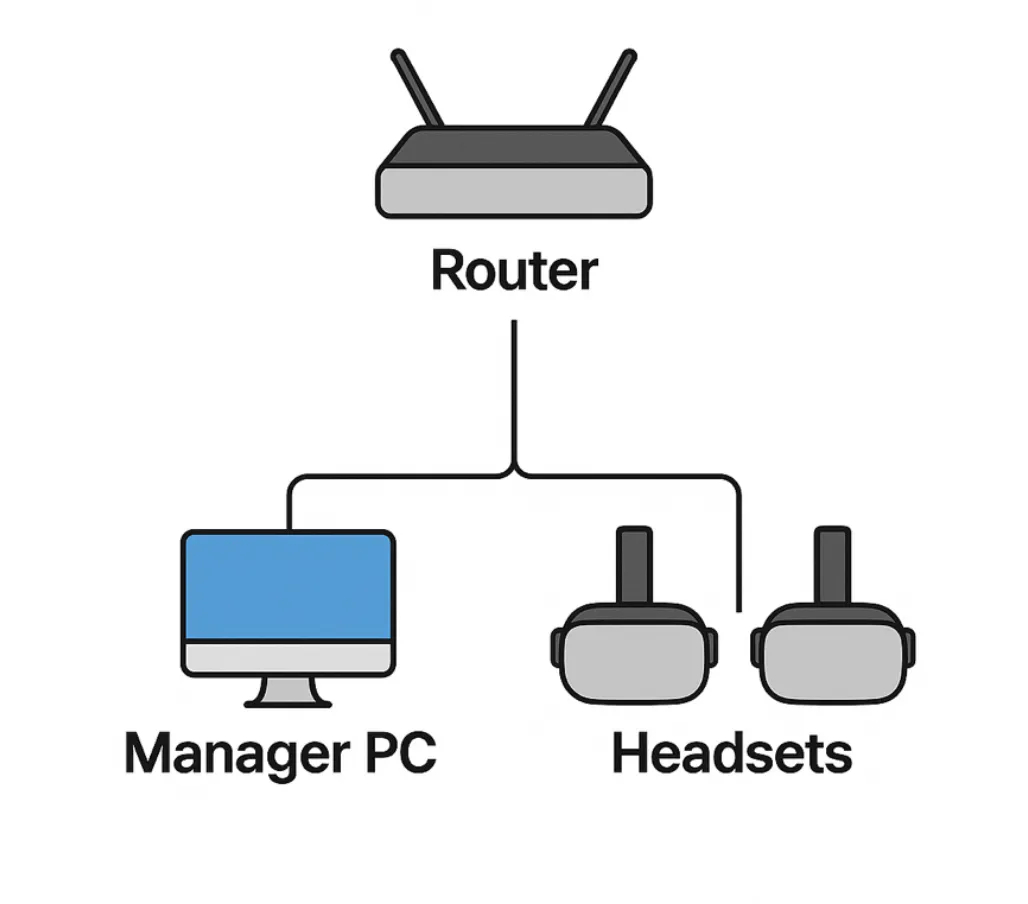
Connect the Manager app PC to the router via Ethernet.
-
Connect all Quest headsets to the same router via Wi-Fi (5 GHz or 6 GHz).
Advanced setup
Section titled “Advanced setup”-
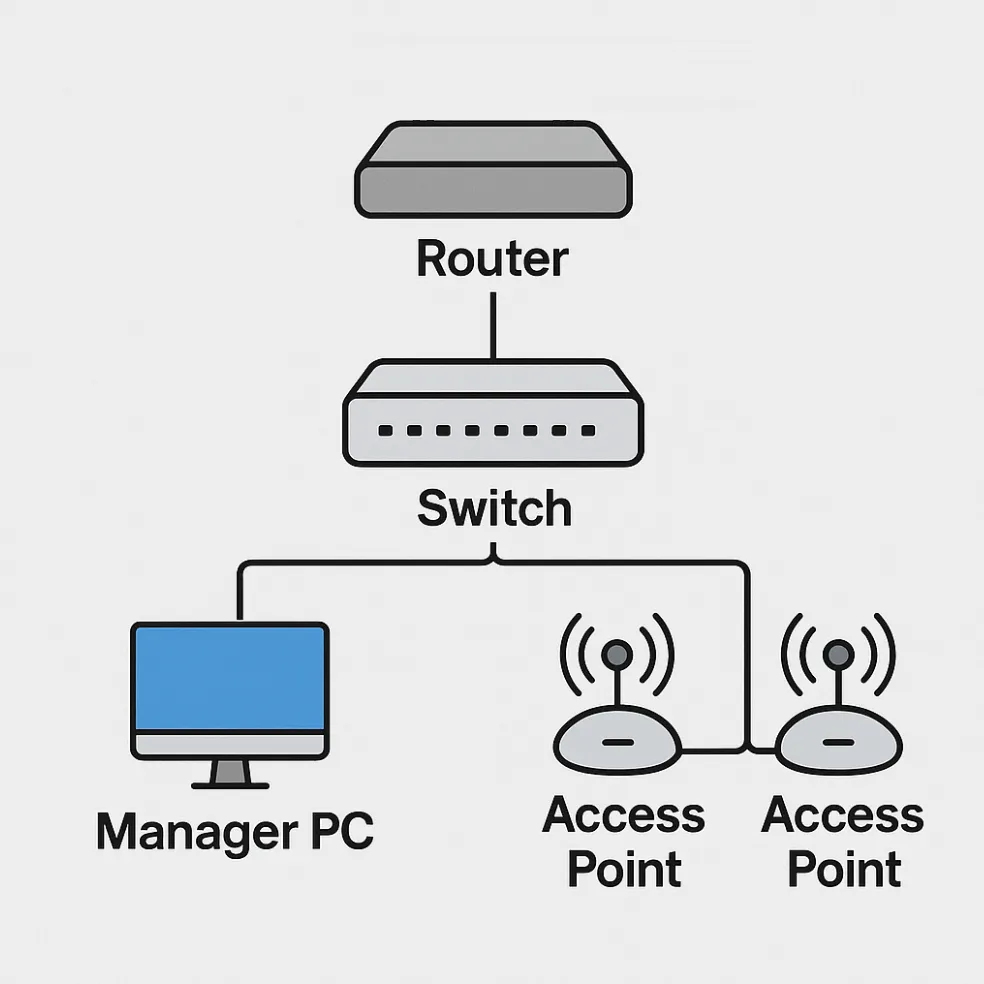
For larger arenas or high-density setups, use a router with multiple access points (APs) to ensure coverage and stability across the entire play area.