
Local Network Sync
What Is Synced Over LAN?
Section titled “What Is Synced Over LAN?”When devices share the same local network, the following data is exchanged directly over LAN. It reduces latency and improves reliability compared to cloud-only syncing.
- Gameplay state (match status and progress)
- Device status data (battery, connectivity, etc.)
- Session invitations
On PICO Enterprise devices, two more things come over LAN:
- Authentication (headsets get their credentials through the Manager)
- Custom images
Verifying LAN Connectivity
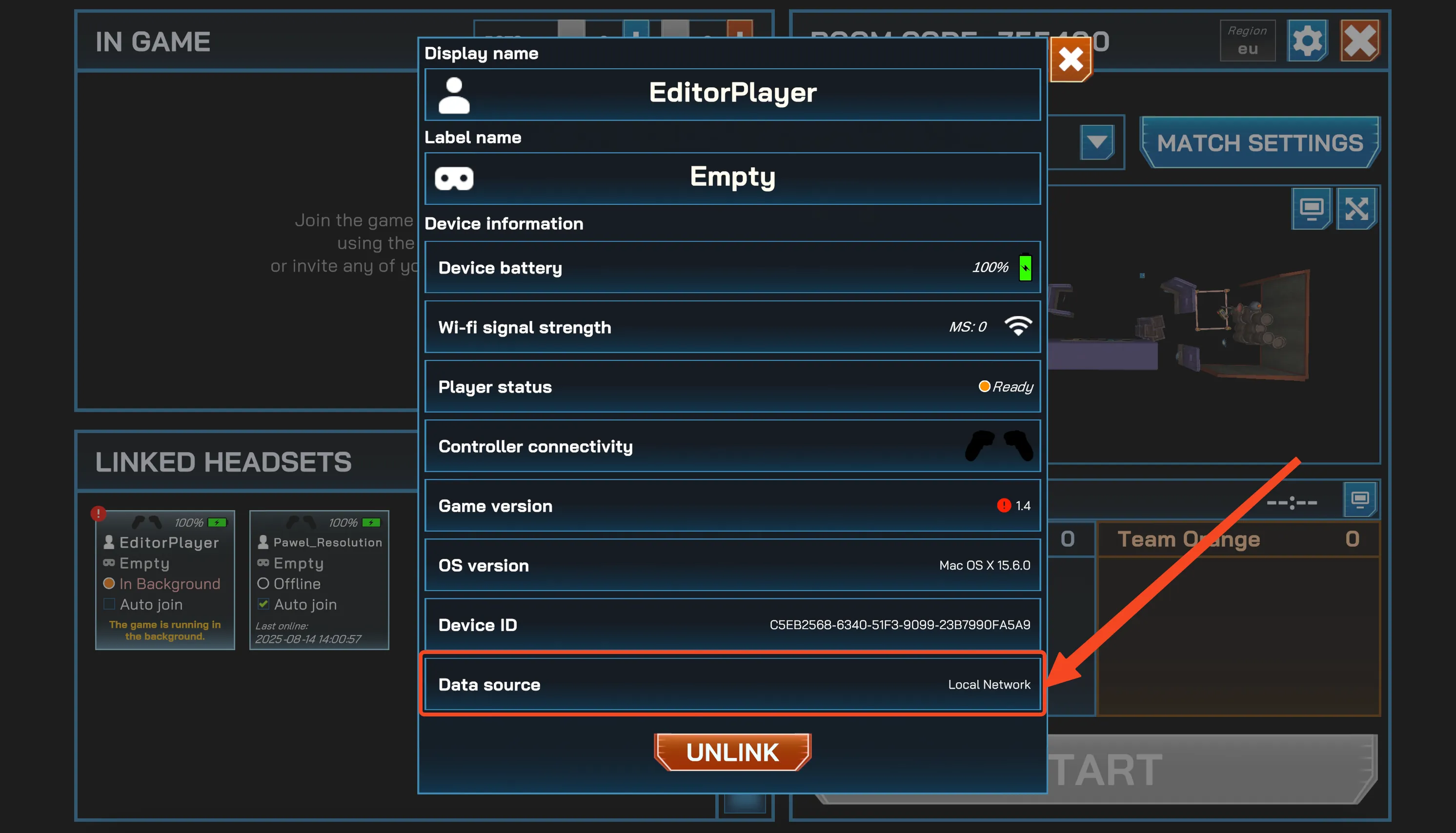
Section titled “Verifying LAN Connectivity”To check whether a headset is using LAN or cloud for data exchange:
- Click on the headset panel in the Manager app.
- Look at the
Data Sourcefield.
Possible values:
- Local Network — the headset is connected to the same router as the Manager app PC. (Recommended)
- Cloud — the headset is connected through the internet instead of local LAN. This may cause higher ping, game de-sync, or disconnections.